Text-based netlist
In the early days of SalixEDA, when chips like SN74... were still widely used, the system had a text-based netlist. It was a special object on the schematic that listed connections to nets in text form. Usually, this was used to connect power nets.
1. Connect pins 14 of chips DD1, DD3 to net +5V.
This is the external representation of the netlist. Internally, the system translated such an entry into connections between the corresponding chip pins.
When transitioning to modern SalixEDA, this functionality was removed because, at that time, chips like SN74... were practically no longer used in schematics, as the overall trend toward higher integration made their use unnecessary. And in those places where such chips were still needed, the problem of connecting power nets could be solved by adding a special power section to multi-section components or by adding power lines directly to the component's schematic symbol for single-section components.
Today, this functionality has been restored to SalixEDA because the system is positioned as suitable for educational purposes, and in the process of teaching students, chips like SN74... are still widely used. Therefore, to make it possible to design schematics with such chips in a familiar way, i.e., through a text-based connection list, the "Text-based connection list" object and the corresponding mode have been added to the SalixEDA system.
Using the text-based netlist
A special object on the schematic combines a net and the pins of various components connected to it (not necessarily chips, although in most cases they will be chips). Therefore, it would be more accurate to call such an object a "net pin list", but the historical name has been retained.
There can be several such objects, including for the same net. One object contains one net and a list of pins connected to that net. The pin list may contain one pin or be completely empty.
Inserting and editing mode for the text-based netlist
A corresponding mode has been added for inserting and editing the text-based netlist in the schematic.
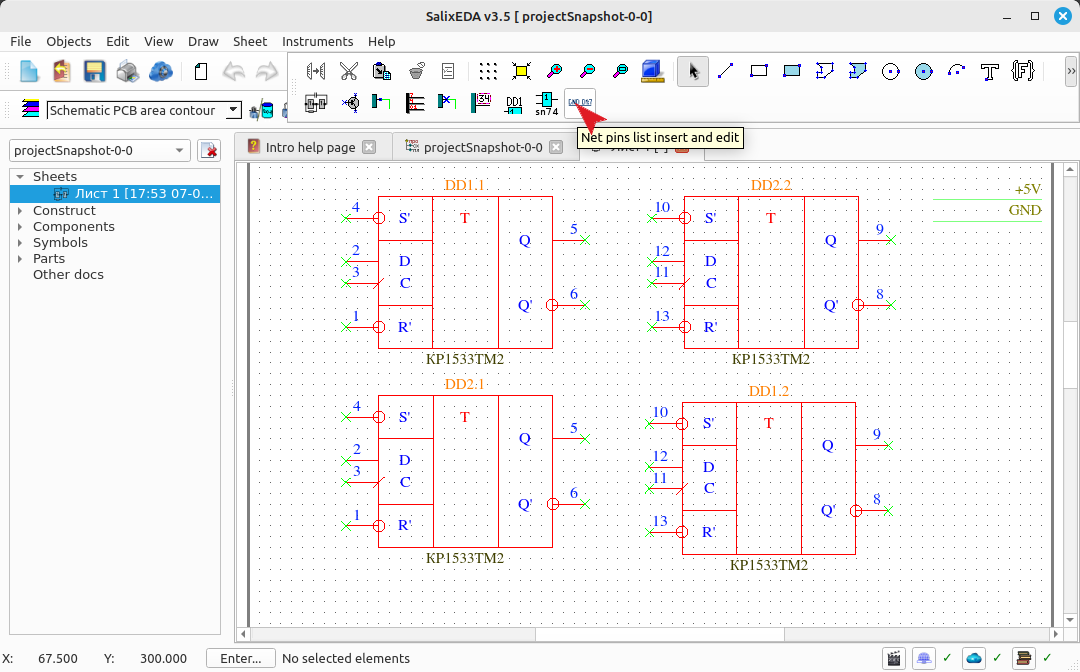
Use the left mouse button to indicate the location of the text representation of the netlist. Set the necessary attributes in advance. These attributes are the same as for any text objects: placement layer, text size, alignment, and direction.
After clicking the left mouse button, a dialog box for editing the list appears. At the top of the window is a drop-down list of all available nets. In the central part are two pin lists. The left list will contain pins connected to the selected net, and the right list will contain all pins available for connection from all schematic sheets of the project.
Use the Add and Remove buttons to form the desired pin list.
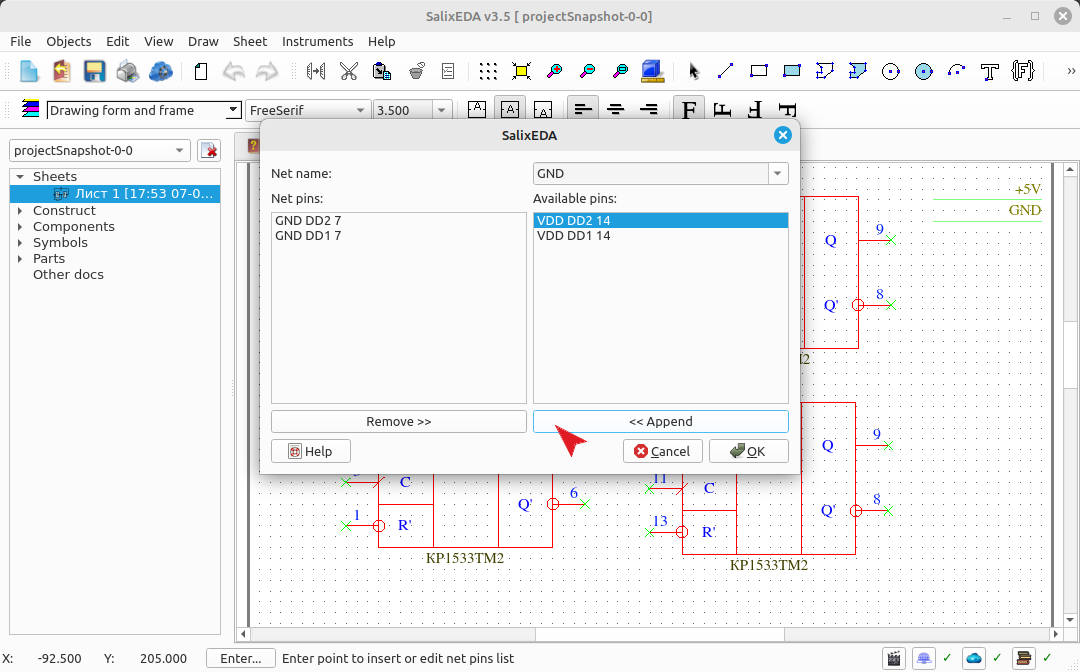
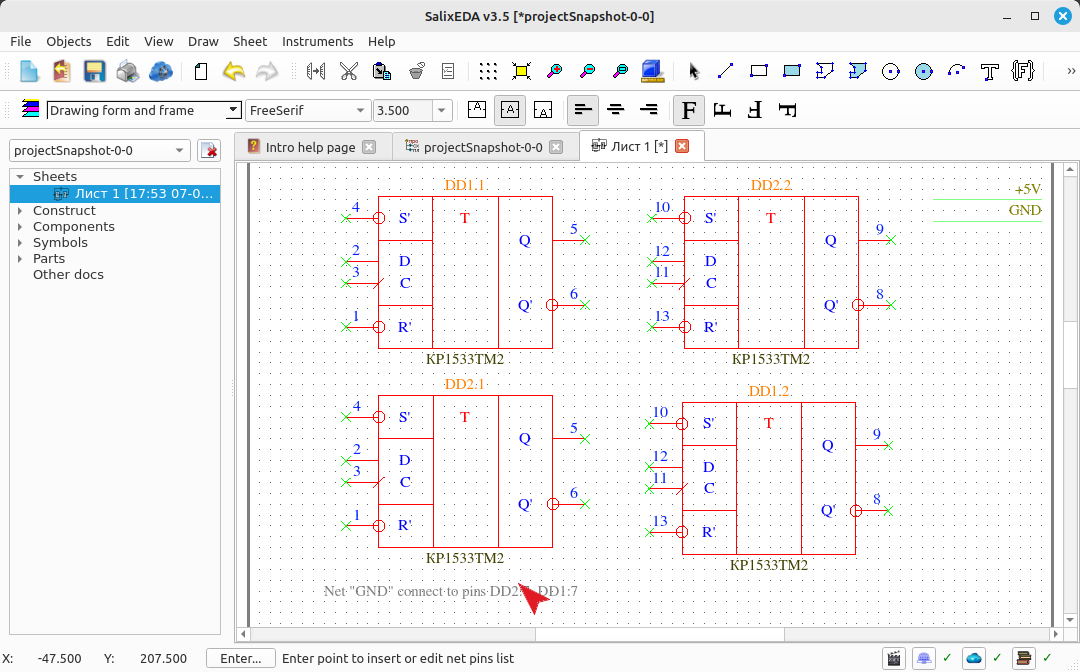
When you click the OK button, a text list of pins for the net is created. The component pins on the PCB are connected to the selected net, and the pins themselves are blocked from being added to other text-based netlists. That is, to add a pin to a text-based netlist, it must be free, i.e., not connected anywhere.
If, while in text-based netlist insertion mode, you left-click on an existing netlist, a dialog box for editing that list appears.
Components in the text-based netlist are represented by their reference designators. Therefore, since components may have identical reference designators after insertion or copying, these reference designators will also be identical in the text representation of the list. Despite this, nets are connected to the actual components, and the reference designators have no effect on these connections. Accordingly, renumbering the components simply changes the appearance of the text representation of the nets, but does not affect the connections themselves.
Completely deleting a component whose pin is present in the list causes the corresponding connection to be removed from the list. Thus, SalixEDA constantly maintains a correct and adequate correspondence between the schematic and the PCB, regardless of your actions.
Preparing components for using the text-based netlist
For the SalixEDA system to be able to populate the list of pins available for connection, the component must contain a "pins" parameter. The value of this parameter is a list of pinAssignment=pinNumber pairs, separated by semicolons. For example:
VCC=14; GND=7
Conclusion
Thus, SalixEDA restores outdated functionality that is still needed for educational purposes. As a result, you can create netlists in the familiar way.